
TL;DR

Get movie nights delivered free with Prime
- Fast, free delivery on millions of items
- Prime Video, Amazon Music and more included
- Member-only deals all year
A report by Vale.Rocks revisits how DVD menus developed from a selling point into a distinctive part of home-video releases, especially during the format’s widespread use in the 2000s. Their visual creativity relied on design choices made around DVD’s limited interactive technology and changing television aspect ratios.
Vale.Rocks has published a retrospective on the visual design and technology behind DVD menus, tracing how they became a memorable feature of home-video releases as DVD use spread in the 2000s. The report explains how publishers worked within limited interactive tools and the shift from 4:3 to widescreen televisions to build menus that ranged from simple lists to animated, layered presentations.
The report says interactive menus were promoted as an advantage over VHS and, in many cases, LaserDisc, which did not offer the same menu experience. Early DVDs were not uniform: some began playing content immediately, while menus became more elaborate as the format and its supporting technology matured. DVD was introduced in late 1996, but Vale.Rocks describes the 2000s as the period when publishers made fuller use of its capabilities.
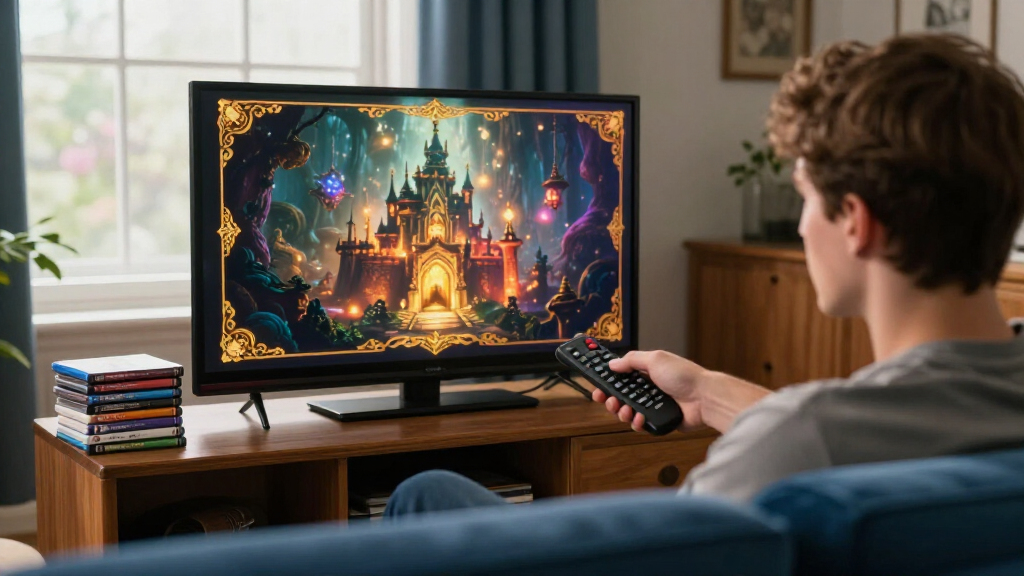
Common menu options included play, chapter or episode selection, bonus features, and settings for subtitles, language, audio and picture. Some discs used a static background and a list; others included custom animation, looping video and menus integrated into the fictional world of a film or show. The report also notes that publishers sometimes developed recurring menu conventions across their catalogues.
DVD menu design had to account for technical limits. The report describes DVD video as MPEG-2 and says interactive graphics, including menu highlights and subtitles, use subpictures: image graphics with a restricted palette rather than ordinary text. The DVD’s interaction system also had limited memory and simple controls. Against that backdrop, elaborate menus were the result of creative work within tight technical boundaries, not an unlimited digital canvas.
Menus made the disc itself part of the viewing experience. They helped viewers navigate chapters, episodes and extras, while animation, music and recurring visual styles could give a release a recognizable identity before the feature began. The report’s examples show that interface design was not merely functional: it could become a remembered part of how people encountered a film or television series at home.
The menus also captured a period of change in television viewing. As household screens moved from 4:3 to 16:9, DVD publishers had to make layouts work across different display shapes. That meant balancing widescreen imagery with a central area where important options remained visible on older sets. The choices left a recognizable design convention, even after widescreen displays became common.
For viewers, the subject offers a way to understand why some discs feel distinctive beyond their picture and sound. The menu could offer access to extras and settings, but could also create friction: an automatic-play feature might start trailers before the main presentation. The report’s retrospective connects those practical details with the nostalgia many people associate with loading a disc and hearing its looping audio.
Popular right now

Samsung 85-Inch QN70H Neo QLED 4K Smart TV (2026)

KitchenAid Artisan 5-Qt Tilt-Head Stand Mixer – Almond Cream (KSM150PS)

Ninja DualZone 6-in-1 Air Fryer, 8-Qt, Grey, DZ801
As an affiliate, we earn on qualifying purchases.
From Disc Launch to Widescreen Design
DVD arrived in the late 1990s, but the report distinguishes its launch from the later period when menus became more ambitious. As the format spread and playback equipment became more common, publishers had more reason to use interactive features as part of a disc’s appeal. Releases still varied, with simpler or lower-cost editions sometimes offering little menu interaction.
DVD video dimensions also require explanation. Vale.Rocks says discs in NTSC regions typically use 720 × 480 pixels, while PAL-region discs typically use 720 × 576 pixels. Those stored dimensions do not necessarily match the shape viewers see: disc metadata tells the player how to display the image at the intended aspect ratio. The distinction between stored and displayed proportions mattered for menu layouts as well as the video itself.
During the change from 4:3 televisions to widescreen sets, DVD presentations included letterboxed widescreen, pan-and-scan versions and anamorphic widescreen. The report says menu designers often kept essential information inside a 4:3 safe area, leaving less important decorative imagery to occupy the wider frame. That approach persisted on some releases even as widescreen viewing became prevalent.
One example of a publisher-specific convention is Disney’s FastPlay, which the report says debuted in 2004. It was designed to start a disc’s movie and selected bonus features automatically, an approach intended to reduce the need for remote-control navigation. The report says this could mean viewers encountered trailers before the feature. Disney’s EasyFind menus, also described as appearing around that time, used recurring options and graphics to make navigation more consistent.
“DVD menus can take many forms”
— Vale.Rocks report
What the Retrospective Does Not Measure
The report is a retrospective account, not a survey of DVD releases or viewers. It does not quantify how common particular menu styles were, how often audiences used bonus features, or how many people encountered FastPlay. Its observations about remembered menus and recurring design practices should be read as commentary rather than measured findings about the entire format.
It also does not establish that all publishers followed the same safe-area conventions or that those choices persisted on every widescreen release. DVD menus varied by title, publisher and edition. The report describes examples and technical constraints, but does not provide a release-by-release catalogue or a comparison of menu design across all regions.
Further Examples and Technical Detail
The Vale.Rocks report does not announce a forthcoming product, event or follow-up installment. Its next useful step for readers is to compare the described design choices with menus on discs they own, including how a title handles aspect ratios, navigation and bonus material.
For the technical side, the report points readers to Douglas Dixon’s DVD Authoring Terminology for further explanation of DVD authoring concepts. Any broader account of how common individual menu practices were would require additional evidence, such as a systematic review of releases across publishers and years.
Key Questions
What is the news about DVD menus?
Vale.Rocks published a retrospective about how DVD menus were designed, what their technical limits were and why some remain memorable to viewers.
When did DVD menus become more elaborate?
The report says DVD launched in late 1996, but publishers made fuller use of the format’s capabilities as it became widespread, particularly in the 2000s.
During the shift to widescreen televisions, keeping key options within a 4:3 safe area helped them remain visible on older displays. Decorative imagery could extend into the wider part of a 16:9 screen.
What was Disney FastPlay?
As described by Vale.Rocks, FastPlay automatically began a DVD’s movie and selected bonus features, reducing the need for a viewer to navigate menus. The report says it could play trailers before the feature.
What remains unknown about the report’s examples?
The report does not quantify how widespread particular menu styles were or how viewers used them. Its examples illustrate the format’s design possibilities, but do not represent a complete survey of DVD releases.
Source: hn